The bug reported by 'michi at marel dot at' also exists in PHP version 5.1.1. This functions just works with vertical lines!imagedashedline
(PHP 4, PHP 5, PHP 7, PHP 8)
imagedashedline — Desenha uma linha tracejada
Descrição
Esta função foi descontinuada. Use uma combinação de imagesetstyle() e imageline() em seu lugar.
Parâmetros
-
image - Um objeto GdImage, retornado por uma das funções de criação de imagem, como imagecreatetruecolor().
x1-
Coordenada x do ponto inicial.
y1-
Coordenada y do ponto inicial. 0, 0 é o canto superior esquerdo da imagem.
x2-
Coordenada x do ponto final.
y2-
Coordenada y do ponto final.
color-
A cor de preenchimento. Um identificador de cor criado com imagecolorallocate().
Valor Retornado
Sempre retorna true.
Registro de Alterações
| Versão | Descrição |
|---|---|
| 8.0.0 |
O parâmetro image agora espera uma instância de GdImage;
anteriormente, um resource gd válido era esperado.
|
Exemplos
Exemplo #1 Exemplo de imagedashedline()
<?php
// Cria uma imagem 100x100
$im = imagecreatetruecolor(100, 100);
$white = imagecolorallocate($im, 0xFF, 0xFF, 0xFF);

// Desenha uma linha tracejada vertical
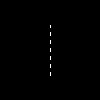
imagedashedline($im, 50, 25, 50, 75, $white);

// Grava a imagem
imagepng($im, './dashedline.png');
?>
O exemplo acima produzirá algo semelhante a:
Exemplo #2 Alternativa a imagedashedline()
<?php
// Cria uma imagem 100x100
$im = imagecreatetruecolor(100, 100);
$white = imagecolorallocate($im, 0xFF, 0xFF, 0xFF);

// Define o estilo: primeiros 4 pixels brancos e os 4
// seguintes transparentes. Isto cria o efeito tracejado.
$style = Array(
                $white,
                $white,
                $white,
                $white,
                IMG_COLOR_TRANSPARENT,
                IMG_COLOR_TRANSPARENT,
                IMG_COLOR_TRANSPARENT,
                IMG_COLOR_TRANSPARENT
                );

imagesetstyle($im, $style);

// Desenha a linha tracejada
imageline($im, 50, 25, 50, 75, IMG_COLOR_STYLED);

// Grava a imagem
imagepng($im, './imageline.png');
?>
Veja Também
- imagesetstyle() - Define o estilo para desenho de linhas
- imageline() - Desenha uma linha
Melhore Esta Página
+adicionar nota
Notas de Usuários 5 notes
ProfessorNeo at gmx dot de 
20 years ago
tgabor72 at freemail dot hu 
15 years ago
You can use the imagepatternedline() function with extra features instead of imagedashedline() to give a visible dashedlines and other any kind of patterned lines on your images. The routine also manages the thickness of the line. Have fun!

<?php
// imagepatternedline() function
// Routine was developed to draw any kind of straight line with thickness. Routine uses imageline() function to draw line.
// Parameters are (similar to imageline() function):
//   $image: (resource) imagefile
//   $xstart, $ystart: (int) x,y coordinates for first point
//   $xend, $yend: (int) x,y coordinates for last point
//   $color: (int) color identifier that created with imagecolorallocate()
// extra parameters:
//   $thickness: (int) thickness of line in pixel
//   $pattern: (string) pattern of line, which repeats continuously while line is being drawed.
//   If there is '1' in the pattern that means the actual dot of line is visible,
//   '0' means dot is not visible (space between two line elements).
//   All characters regard for one pixel. Default: 1 dot wide dashed line with 4-4 dots and spaces.
// Examples for pattern:
// "1" or "" continuous line
// "10" close dotline
// "10000" dotline
// "111111110000001100000011111111" dotline for design drawing
// "111111111100000011000000110000001111111111" double dotline
// some examples for using imagepatternedline():
// imagepatternedline($image,300,300,442,442,$color,200,""); // a square with 200 length of edge and rotated 45 degrees
// imagepatternedline($image,100,200,289,200,$color,100,
//  "11001100000011001111000011001111110000001100001100"
// ."00001111001100111100000011000000110000110011001100"
// ."11000011111100111111000011001111001111000011110000"
// ."1111001111110011000011000000001100110011"); // barcode

function imagepatternedline($image, $xstart, $ystart, $xend, $yend, $color, $thickness=1, $pattern="11000011") {
   $pattern=(!strlen($pattern)) ? "1" : $pattern;
   $x=$xend-$xstart;
   $y=$yend-$ystart;
   $length=floor(sqrt(pow(($x),2)+pow(($y),2)));
   $fullpattern=$pattern;
   while (strlen($fullpattern)<$length) $fullpattern.=$pattern;
   if (!$length) {
      if ($fullpattern[0]) imagefilledellipse($image, $xstart, $ystart, $thickness, $thickness, $color);
      return;
   }
   $x1=$xstart;
   $y1=$ystart;
   $x2=$x1;
   $y2=$y1;
   $mx=$x/$length;
   $my=$y/$length;
   $line="";
   for($i=0;$i<$length;$i++){
      if (strlen($line)==0 or $fullpattern[$i]==$line[0]) {
         $line.=$fullpattern[$i];
      }else{
         $x2+=strlen($line)*$mx;
         $y2+=strlen($line)*$my;
         if ($line[0]) imageline($image, round($x1), round($y1), round($x2-$mx), round($y2-$my), $color);
         $k=1;
         for($j=0;$j<$thickness-1;$j++) {
            $k1=-(($k-0.5)*$my)*(floor($j*0.5)+1)*2;
            $k2= (($k-0.5)*$mx)*(floor($j*0.5)+1)*2;
            $k=1-$k;
            if ($line[0]) {
               imageline($image, round($x1)+$k1, round($y1)+$k2, round($x2-$mx)+$k1, round($y2-$my)+$k2, $color);
               if ($y) imageline($image, round($x1)+$k1+1, round($y1)+$k2, round($x2-$mx)+$k1+1, round($y2-$my)+$k2, $color);
               if ($x) imageline($image, round($x1)+$k1, round($y1)+$k2+1, round($x2-$mx)+$k1, round($y2-$my)+$k2+1, $color);
            }
         }
         $x1=$x2;
         $y1=$y2;
         $line=$fullpattern[$i];
      }
   }
   $x2+=strlen($line)*$mx;
   $y2+=strlen($line)*$my;
   if ($line[0]) imageline($image, round($x1), round($y1), round($xend), round($yend), $color);
   $k=1;
   for($j=0;$j<$thickness-1;$j++) {
      $k1=-(($k-0.5)*$my)*(floor($j*0.5)+1)*2;
      $k2= (($k-0.5)*$mx)*(floor($j*0.5)+1)*2;
      $k=1-$k;
      if ($line[0]) {
         imageline($image, round($x1)+$k1, round($y1)+$k2, round($xend)+$k1, round($yend)+$k2, $color);
         if ($y) imageline($image, round($x1)+$k1+1, round($y1)+$k2, round($xend)+$k1+1, round($yend)+$k2, $color);
         if ($x) imageline($image, round($x1)+$k1, round($y1)+$k2+1, round($xend)+$k1, round($yend)+$k2+1, $color);
      }
   }
}
?>
alien-scripts.de 
20 years ago
I make my own dashedline:

<?
for($l=50;$l<=550;$l+=5)
   {
    if($da == 0) { $da = 1; }
    elseif($da == 1){
    imageline($bild,$l,50,$l+5,50,$green);
    $da = 0; }
   }
?>

$l is the x-value
and we have a dashed line :)
michi at marel dot at 
22 years ago
There's a bug till PHP 4.0.4 in this function. You can only draw vertical dashed lines. To draw other dashed lines you can set <ImageSetStyle> to a special dashed line and draw it by <ImageLine>.

Sample code:
<?php
function MDashedLine($image, $x0, $y0, $x1, $y1, $fg, $bg)
{
        $st = array($fg, $fg, $fg, $fg, $bg, $bg, $bg, $bg);
        ImageSetStyle($image, $st);
        ImageLine($image, $x0, $y0, $x1, $y1, IMG_COLOR_STYLED);
}
?>