You should mention the label can't be a variablegoto
(PHP 5 >= 5.3.0, PHP 7, PHP 8)
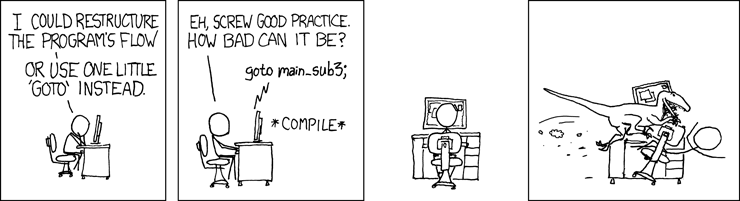
Image fournie par » xkcd
L'opérateur goto peut être utilisé pour continuer
l'exécution du script à un autre point du programme.
La cible est spécifiée par une étiquette sensible à la casse,
suivie de deux-points, et l'instruction goto est ensuite
suivie de ce label. goto n'est pas totalement sans limitations.
L'étiquette cible doit être dans le même contexte et fichier, ce qui signifie
qu'il n'est pas possible de changer de méthode ou de fonction,
ni de se rendre dans une autre fonction. Il est de même impossible d'entrer
dans une structure de boucle ou un switch.
Il est néanmoins possible d'en sortir, et l'utilisation courante est alors de se servir de
goto comme un break multi-niveaux.
Exemple #1 Exemple avec goto
<?php
goto a;
echo 'Foo';

a:
echo 'Bar';
L'exemple ci-dessus va afficher :
Bar
Exemple #2 Exemple de boucle avec goto
<?php
for ($i = 0, $j = 50; $i < 100; $i++) {
    while ($j--) {
        if ($j == 17) {
            goto end;
        }
    }
}
echo "i = $i";
end:
echo 'j a atteint 17';
L'exemple ci-dessus va afficher :
j a atteint 17
Exemple #3 Ce goto ne fonctionne pas
<?php
goto loop;
for ($i = 0, $j = 50; $i < 100; $i++) {
    while ($j--) {
        loop:
    }
}
echo "$i = $i";
Résultat de l'exemple ci-dessus est similaire à :
Fatal error: 'goto' into loop or switch statement is disallowed in script on line 2
+add a note
User Contributed Notes 4 notes
devbyjesus at example dot com 
4 years ago
the problem of goto is that it is a good feature but in a large codebase it reduces the readability of the code . that's all . i try to not use it to think about the person who is going to read after me .
georgy dot moshkin at techsponsor dot io 
2 years ago
You can use goto to hide large HTML blocks without using echo():

<html><body>

<?php if ($hide_form_and_script) { goto label_1;} ?>

<form action="" method="post">
<!-- some HTML here -->
</form>
<script>
let a='test'; // no need to escape nested quotes as with echo()
// some JavaScript here
</script>

<?php label_1: ?>

</body></html>