The bug reported by 'michi at marel dot at' also exists in PHP version 5.1.1. This functions just works with vertical lines!imagedashedline
(PHP 4, PHP 5, PHP 7, PHP 8)
imagedashedline — Dessine une ligne pointillée
Description
imagedashedline() est obsolète. Il est préférable d'utiliser une combinaison des fonctions imagesetstyle() et imageline(). Le point 0, 0 est le coin en haut à gauche de l'image.
Liste de paramètres
image- Un objet GdImage, retournée par une des fonctions de création d'images, comme imagecreatetruecolor().
x1-
Coordonnée x du premier point.
y1-
Coordonnée y du premier point.
x2-
Coordonnée x du second point.
y2-
Coordonnée y du second point.
color-
La couleur de remplissage. Un identificateur de couleur créé avec imagecolorallocate().
Valeurs de retour
Retourne toujours true.
Historique
| Version | Description |
|---|---|
| 8.0.0 |
image attend une instance de GdImage désormais;
auparavant, une resource gd était attendue.
|
Exemples
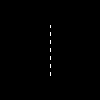
Exemple #1 Exemple avec imagedashedline()
<?php
// Crée une image de 100x100 pixels
$im = imagecreatetruecolor(100, 100);
$white = imagecolorallocate($im, 0xFF, 0xFF, 0xFF);

// Dessine une ligne verticale en pointillé
imagedashedline($im, 50, 25, 50, 75, $white);

// Sauvegarde l'image
imagepng($im, './dashedline.png');
?>
Résultat de l'exemple ci-dessus est similaire à :
Exemple #2 Alternative à la fonction imagedashedline()
<?php
// Crée une image de 100x100 pixels
$im = imagecreatetruecolor(100, 100);
$white = imagecolorallocate($im, 0xFF, 0xFF, 0xFF);

// Définit le style : Les 4 premiers pixels sont blancs et les 4 suivants
// sont transparents. Ceci va créer l'effet de pointillé
$style = Array(
                $white,
                $white,
                $white,
                $white,
                IMG_COLOR_TRANSPARENT,
                IMG_COLOR_TRANSPARENT,
                IMG_COLOR_TRANSPARENT,
                IMG_COLOR_TRANSPARENT
                );

imagesetstyle($im, $style);

// Dessine la ligne pointillée
imageline($im, 50, 25, 50, 75, IMG_COLOR_STYLED);

// Sauvegarde de l'image
imagepng($im, './imageline.png');
?>
Voir aussi
- imagesetstyle() - Configure le style pour le dessin des lignes
- imageline() - Dessine une ligne
+add a note
User Contributed Notes 5 notes
ProfessorNeo at gmx dot de 
20 years ago
tgabor72 at freemail dot hu 
15 years ago
You can use the imagepatternedline() function with extra features instead of imagedashedline() to give a visible dashedlines and other any kind of patterned lines on your images. The routine also manages the thickness of the line. Have fun!

<?php
// imagepatternedline() function
// Routine was developed to draw any kind of straight line with thickness. Routine uses imageline() function to draw line.
// Parameters are (similar to imageline() function):
//   $image: (resource) imagefile
//   $xstart, $ystart: (int) x,y coordinates for first point
//   $xend, $yend: (int) x,y coordinates for last point
//   $color: (int) color identifier that created with imagecolorallocate()
// extra parameters:
//   $thickness: (int) thickness of line in pixel
//   $pattern: (string) pattern of line, which repeats continuously while line is being drawed.
//   If there is '1' in the pattern that means the actual dot of line is visible,
//   '0' means dot is not visible (space between two line elements).
//   All characters regard for one pixel. Default: 1 dot wide dashed line with 4-4 dots and spaces.
// Examples for pattern:
// "1" or "" continuous line
// "10" close dotline
// "10000" dotline
// "111111110000001100000011111111" dotline for design drawing
// "111111111100000011000000110000001111111111" double dotline
// some examples for using imagepatternedline():
// imagepatternedline($image,300,300,442,442,$color,200,""); // a square with 200 length of edge and rotated 45 degrees
// imagepatternedline($image,100,200,289,200,$color,100,
//  "11001100000011001111000011001111110000001100001100"
// ."00001111001100111100000011000000110000110011001100"
// ."11000011111100111111000011001111001111000011110000"
// ."1111001111110011000011000000001100110011"); // barcode

function imagepatternedline($image, $xstart, $ystart, $xend, $yend, $color, $thickness=1, $pattern="11000011") {
   $pattern=(!strlen($pattern)) ? "1" : $pattern;
   $x=$xend-$xstart;
   $y=$yend-$ystart;
   $length=floor(sqrt(pow(($x),2)+pow(($y),2)));
   $fullpattern=$pattern;
   while (strlen($fullpattern)<$length) $fullpattern.=$pattern;
   if (!$length) {
      if ($fullpattern[0]) imagefilledellipse($image, $xstart, $ystart, $thickness, $thickness, $color);
      return;
   }
   $x1=$xstart;
   $y1=$ystart;
   $x2=$x1;
   $y2=$y1;
   $mx=$x/$length;
   $my=$y/$length;
   $line="";
   for($i=0;$i<$length;$i++){
      if (strlen($line)==0 or $fullpattern[$i]==$line[0]) {
         $line.=$fullpattern[$i];
      }else{
         $x2+=strlen($line)*$mx;
         $y2+=strlen($line)*$my;
         if ($line[0]) imageline($image, round($x1), round($y1), round($x2-$mx), round($y2-$my), $color);
         $k=1;
         for($j=0;$j<$thickness-1;$j++) {
            $k1=-(($k-0.5)*$my)*(floor($j*0.5)+1)*2;
            $k2= (($k-0.5)*$mx)*(floor($j*0.5)+1)*2;
            $k=1-$k;
            if ($line[0]) {
               imageline($image, round($x1)+$k1, round($y1)+$k2, round($x2-$mx)+$k1, round($y2-$my)+$k2, $color);
               if ($y) imageline($image, round($x1)+$k1+1, round($y1)+$k2, round($x2-$mx)+$k1+1, round($y2-$my)+$k2, $color);
               if ($x) imageline($image, round($x1)+$k1, round($y1)+$k2+1, round($x2-$mx)+$k1, round($y2-$my)+$k2+1, $color);
            }
         }
         $x1=$x2;
         $y1=$y2;
         $line=$fullpattern[$i];
      }
   }
   $x2+=strlen($line)*$mx;
   $y2+=strlen($line)*$my;
   if ($line[0]) imageline($image, round($x1), round($y1), round($xend), round($yend), $color);
   $k=1;
   for($j=0;$j<$thickness-1;$j++) {
      $k1=-(($k-0.5)*$my)*(floor($j*0.5)+1)*2;
      $k2= (($k-0.5)*$mx)*(floor($j*0.5)+1)*2;
      $k=1-$k;
      if ($line[0]) {
         imageline($image, round($x1)+$k1, round($y1)+$k2, round($xend)+$k1, round($yend)+$k2, $color);
         if ($y) imageline($image, round($x1)+$k1+1, round($y1)+$k2, round($xend)+$k1+1, round($yend)+$k2, $color);
         if ($x) imageline($image, round($x1)+$k1, round($y1)+$k2+1, round($xend)+$k1, round($yend)+$k2+1, $color);
      }
   }
}
?>
alien-scripts.de 
20 years ago
I make my own dashedline:

<?
for($l=50;$l<=550;$l+=5)
   {
    if($da == 0) { $da = 1; }
    elseif($da == 1){
    imageline($bild,$l,50,$l+5,50,$green);
    $da = 0; }
   }
?>

$l is the x-value
and we have a dashed line :)
michi at marel dot at 
22 years ago
There's a bug till PHP 4.0.4 in this function. You can only draw vertical dashed lines. To draw other dashed lines you can set <ImageSetStyle> to a special dashed line and draw it by <ImageLine>.

Sample code:
<?php
function MDashedLine($image, $x0, $y0, $x1, $y1, $fg, $bg)
{
        $st = array($fg, $fg, $fg, $fg, $bg, $bg, $bg, $bg);
        ImageSetStyle($image, $st);
        ImageLine($image, $x0, $y0, $x1, $y1, IMG_COLOR_STYLED);
}
?>